Pick up the work.
Keep the brief, decisions and open questions beside the conversation. Explore switching collaborators without starting the project again.
Try connected conversations ↗ ANCRON
Inside the workspace
Choose an experience. Turn on the recorded voice when you want Ancron to explain as you explore.
WATCH ANCRON OS AT WORK
Follow a narrated executive workday. An incoming email changes the plan. Ancron compares the impact, prepares a follow-up, and brings you back to the work.
▶ Watch the desktop demoWorks on your phone, too. Full desktop view · narrated conversation · day and night.
Explore the other demos →Fictional scenario. Simulated data and integrations. Features require connections to third-party services and your permission.
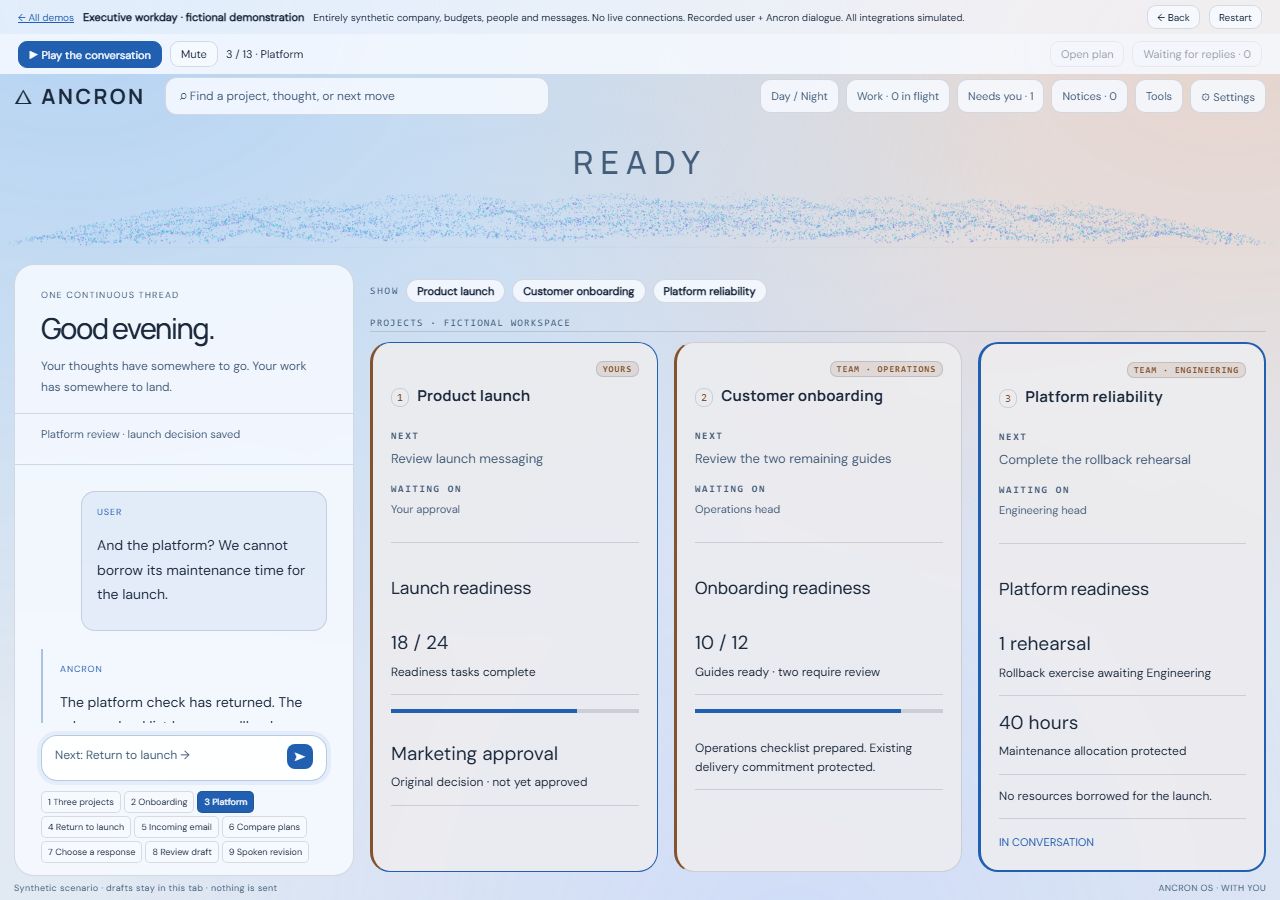 ▶ Watch the demo
BEYOND THE CHAT
A capable AI can help you think, write and use tools. Ancron OS is the continuing workspace around that intelligence: project context, connected collaborators, delegated work and the next decision.
Keep the brief, decisions and open questions beside the conversation. Explore switching collaborators without starting the project again.
Try connected conversations ↗Follow a request into a project, a worker’s draft and a separate review. A returned result is not the same as a checked outcome.
Follow a worker’s return ↗Explore a proposed action, the information it needs and the decision still owed. Permission and completion are different things.
Explore the boundary example ↗LOCAL COORDINATION. REMOTE INTELLIGENCE.
The current build runs its coordinator and stores project state on the user’s computer. Language-model processing uses remote services by default. Local storage does not mean that context never leaves the computer.
These are fictional, scripted examples, not a live connection or a performance comparison. Other AI products also offer memory, tools and integrations. Ancron OS explores bringing these resources into a persistent, locally coordinated work environment.
Security depends on the specific access controls, connected services and configuration. This is an ongoing personal build, not an independently security-audited product or a guarantee that information stays local. Available tools do not by themselves prove successful outcomes.
FICTIONAL BOUNDARY EXAMPLE
Prepare a workshop invitation. Inspect the brief before moving it to a model, then keep publication as a separate decision.
Example source: a public workshop outline and a private planning note.
Private planning note · excluded from this example brief
Nothing here is real project data. No content is sent.
The example keeps the public outline separate from the private note. Inspect exactly what the model would receive.
No remote request. No publication permission.
This illustrates a scoped handoff and a human publication decision. It is not evidence of a universal automatic filter, a complete security boundary, or a guarantee that every real workflow behaves this way.
Step behind the curtain
A conversation is the beginning. Explore how a question becomes work, how that work continues, and where the decision comes back to you.
Illustrated demonstration · Scripted scenes, no live connection
ANCRONReady to exploreA fictional workspaceAncron · illustrated tour
This is where conversations become work. Explore your world on the left, and the information that keeps us oriented on the right.
Hover to explore on desktop. Tap an area on mobile.
Explanations appear here even with sound off.
The wave changes with the kind of activity: amber for listening, violet for thinking, cyan for speaking.
A personal AI, running your day.
Get early access